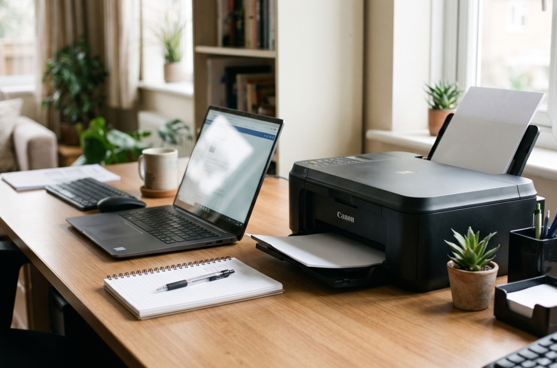
Buying a printer sounds easy. Then you see the options. Ink tank. Inkjet. Laser. Mono. Colour. All-in-one. And suddenly you’re lost.
Here’s the thing. There’s no single “best” Canon printer. The best one is the one that fits how you work. Print a few pages a week? Print hundreds? Need colour photos or just invoices? Each answer points to a different printer. And once you pick, keeping it supplied with the right Canon toner cartridges keeps your running costs under control. Let’s make this simple.
Start With Three Questions
Before you look at any model, ask yourself:
- How much do I print? A few pages a week, or a few hundred?
- What do I print? Plain documents, or colour graphics and photos?
- Do I need extras? Scanning, copying, Wi-Fi, double-sided printing?
Write your answers down. They’ll do most of the work for you.
Canon Printer Types, Explained
Ink Tank Printers (PIXMA G-Series)
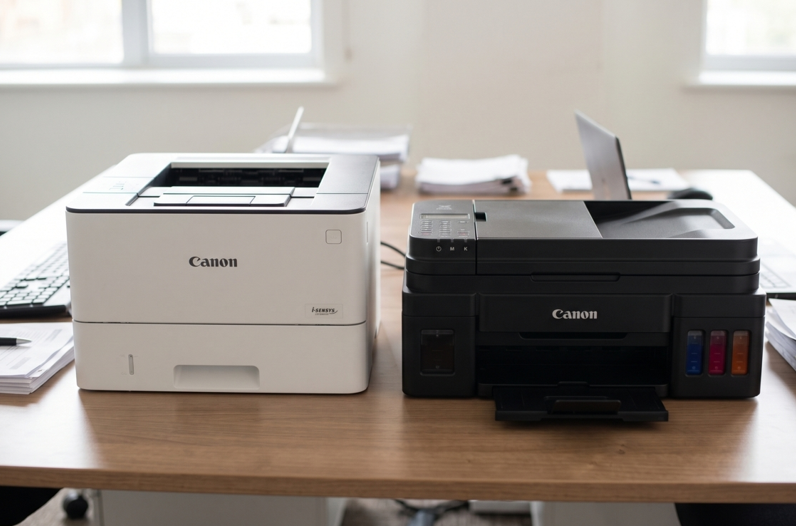
These have refillable ink tanks instead of small cartridges. You refill from bottles. Ink costs less per page, so they suit people who print a lot, especially in colour. The upfront price is usually higher. Models in the PIXMA G range, like the G2420 or G3420, are popular for home offices and small shops.
Good for: Home offices, students, small shops, colour printing in volume.
Standard Inkjet Printers (PIXMA)
These use small ink cartridges. They’re usually cheaper to buy and good for photos and colour. But cartridges can get pricey if you print often.
Good for: Light use, occasional colour, photos.
Laser Printers (imageCLASS)
These use toner powder. They print text fast and sharp, and toner doesn’t dry out when the printer sits idle. They’re great for busy offices that print lots of documents.
Good for: Contracts, invoices, reports, shared office use.
Mono or Colour?
If you mostly print text, a mono laser is hard to beat. It’s quick, sharp and cheap to run. If you need brochures, charts or photos, go colour. Colour laser and ink tank models both work. Colour printers cost more to run, so only buy one if you really need it.
Features Worth Paying For
You don’t need everything. Focus on these:
- Wi-Fi. Lets you print from your phone and laptop. Very handy.
- Automatic duplex. Prints on both sides and saves paper.
- Scanner and copier. An all-in-one saves desk space.
- Automatic document feeder. Helpful if you scan many pages.
- Mobile printing. Useful if you work from your phone.
Skip features you’ll never use. They only add to the price.
Think About Running Costs
This is where people get caught. A cheap printer can be expensive to run. Before you buy, check:
- The price of replacement ink or toner
- How many pages each one prints
- Whether high-yield sizes exist
- How easy the supplies are to find locally
A printer is cheap for a day. Supplies cost you for years.
Don’t Forget Support
Printers break sometimes. Even good ones. So before you buy, think about what happens when it does. Is there a local service? Are parts easy to find? Can someone fix it fast?
If your Canon starts jamming, printing blank pages or throwing error codes, a trusted Canon printer repair in Dubai service can get it running again. It’s often cheaper than replacing it. And for a business, quick repairs mean less time lost.
Quick Picks by Need
- Home office, light use: A basic PIXMA all-in-one with Wi-Fi.
- Home office, lots of colour: A PIXMA G-series ink tank printer.
- Small business, lots of documents: A mono imageCLASS laser all-in-one.
- Small team, shared printing: A laser model with duplex and network printing.
Model availability changes. Check current options with your supplier, and confirm the exact specs before you buy.
Mistakes to Avoid
- Buying on price alone
- Ignoring the cost of ink or toner
- Paying for features you won’t use
- Choosing colour when you only print black text
- Skipping a check of local supply and service
- Buying a printer that’s too small for your workload
Keep Your Canon Working Longer
- Print a few pages every week
- Use good paper
- Keep it in a clean, dry place
- Replace ink and toner when the first warning appears
- Update drivers and firmware occasionally
When Should You Get Extra Help?
Ask a technician if:
- Error codes keep returning
- The printer jams again and again
- Prints stay faded or streaky after new supplies
- You hear grinding or clicking
Please don’t open the printer yourself. Small parts break easily.
Final Thoughts
The best Canon printer is the one that matches your work. Ink tank for heavy colour. Laser for busy document offices. A simple PIXMA for light use. Check running costs, pick the features you need, and make sure you can get supplies and support nearby. Do that, and you’ll buy once and be happy for years.